
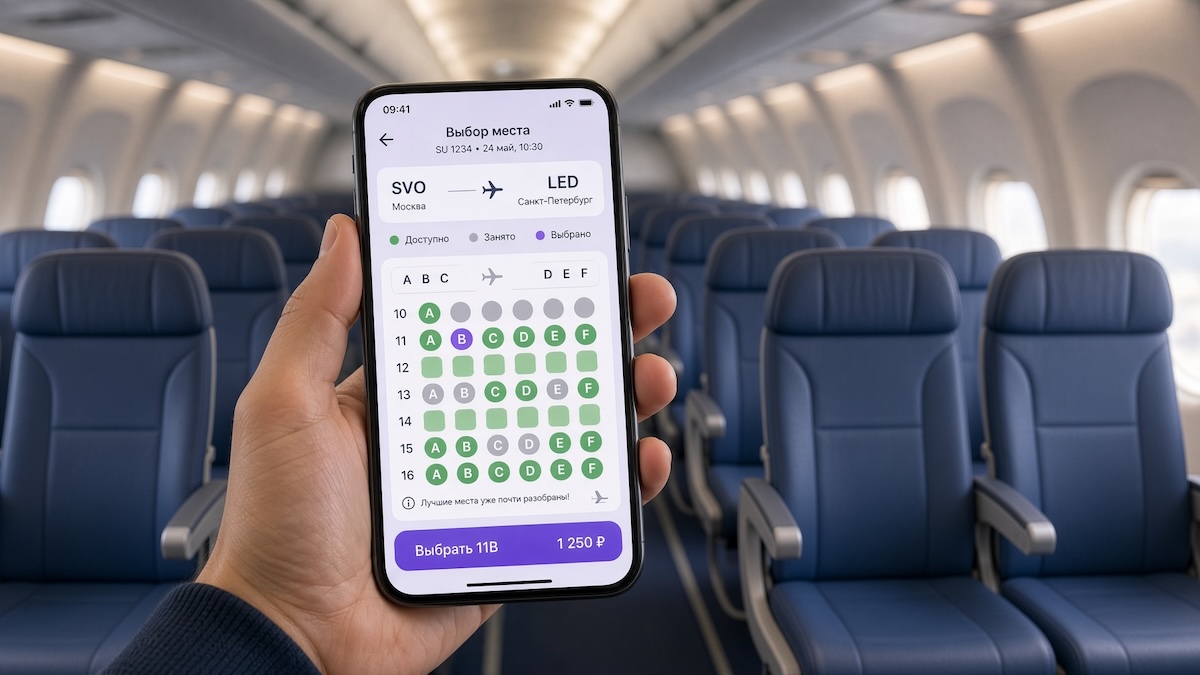
Flight plans can change even after boarding. A passenger might have intended to work but decided to relax, wanted to move closer to a companion, or wished to spend the rest of the journey in a more comfortable seat. An onboard portal can help them discover available options and arrange the service from their smartphone.
One possible use case for Wi-Fly is selecting a different seat, purchasing an additional seat, or upgrading the service class during the flight. The range of offers and the booking procedure are determined by the airline. The portal makes this choice clear and accessible to passengers while en route.
After connecting to the onboard network, the traveler opens the seat change section. Here, they may be presented with options available for purchase on the current flight. Next to each option, there will be a price and a description: where the seat is located, how it differs from their current one, and what services are included in the offer.
When upgrading the service class, these details are particularly important. Passengers need to understand what they will receive: a more spacious seat, additional amenities, or a specific set of services. The description should accurately reflect the service capabilities on that particular flight, so that expectations match the experience of the purchase.
Booking can be organized in two ways. The first is self-selection and payment through the portal. The passenger reviews the terms, chooses a suitable option, and pays for the service. After confirmation, information about the new seat and further actions appears on the screen. For this scenario, the portal needs to be linked to available seat inventory and a payment solution suitable for onboard operations.
The second option is a request to the crew. The traveler selects the offer of interest and sends a request. A flight attendant checks the possibility of a transfer, clarifies the conditions, and helps complete the booking. This approach allows a crew member to be involved in the process where additional coordination is required. The passenger, meanwhile, should clearly see that the request has been accepted, and once the service is confirmed, receive a corresponding notification.
A seemingly empty seat is not always available for transfer. Therefore, the portal should only display offers that the carrier allows to be booked. The actual move to a new seat is coordinated with the crew and performed when permissible under flight conditions.
For the airline, such a service can become an additional channel for selling services. Passengers get the opportunity to calmly consider options and make a decision, knowing the cost and conditions. With self-booking, some standard actions are performed through the portal. When sending a request, the crew receives a specific inquiry: which seat or service interested the traveler.
Convenience is made up of simple details: an up-to-date list of offers, transparent pricing, clear booking, and confirmation of the result. Thus, changing seats via Wi-Fly can become a natural part of onboard service – an opportunity to add comfort to a journey already underway.